Avoid Bans: 4 Stage TikTok Automation Pipeline for Creators via API

TikTok automation covers four jobs: clip generation, scheduled publishing, DM or comment automation, and analytics that feed leads into your funnel. For most creators, the fastest safe route is a platform that handles clipping and scheduling together, with one human checking each clip before it goes live. Add DM automation on top only once you need lead capture at scale. The system that makes this legal and durable runs on TikTok’s Content Posting API, not a scheduler that just pings your phone. Tools like ClipSpeedAI show how this looks in practice.
TL;DR:
- Using an all-in-one platform that combines clip generation and API-based scheduling ensures compliance and reduces maintenance, especially for solo creators and small teams.
- Human approval at the final stage remains crucial for legal accuracy and content quality, as skipping this step often leads to account restrictions.
- Automated workflows should focus on generating content first before adding engagement and lead capture tools, which are best scaled at later stages.
- TikTok’s official Content Posting API allows fully automated, direct publishing, but only if AI-generated content is properly flagged and the account is API-approved.
- Regularly tracking key metrics such as views, watch time, engagement, and lead conversions tied to specific posts will help validate ROI and guide scaling efforts.
Table of Contents
- What Are the Main TikTok Automation Approaches?
- How Does a TikTok Automation Pipeline Actually Work?
- Platform, No-Code, or Custom Build: Which Setup Fits You?
- How Do You Schedule TikTok Posts Without Getting Banned?
- What KPIs Should You Track for Automated Posting?
- How Does ClipSpeedAI Fit Into a Compliant Automation Workflow?
- What Automating Clips Actually Taught Me About Automation
- Get Started With ClipSpeedAI for Faster, Compliant Publishing
- Sources
- FAQ
What Are the Main TikTok Automation Approaches?
Most creators reach for a scheduler when they actually need clip generation, or vice versa. Knowing which job you’re automating saves you from buying the wrong tool.
Four approaches cover almost every real workflow:
- Content generation and clipping: converts long-form video or livestreams into short vertical clips, adding burned-in captions and speaker tracking automatically.
- Scheduled publishing: comes in two flavors. Notification-based schedulers push a reminder to your phone and you finish the upload yourself; direct API publishing goes live without you touching your phone at all.
- Engagement automation: handles comment replies and DM flows, often used to qualify leads and route them into a CRM before a human ever responds.
- Analytics and conversion tracking: uses webhooks and auto-attribution to connect a specific post to the leads or sales it generated.
The mismatch that trips up creators most often: they buy a scheduler expecting it to also edit their footage, then wonder why they’re still spending six hours a week trimming clips by hand. Scheduling and generation are separate problems. Solve generation first, since it’s the one eating your time.
How Does a TikTok Automation Pipeline Actually Work?
A working pipeline has four stages, and skipping the third one is how accounts get flagged or embarrassed.
- Research and brief. Pull trend signals, proven hooks, and audience examples into whatever tool generates your script or clip selection. This stage decides whether your output feels current or stale.
- Generate. Produce the script, hook, and vertical render (1080×1920), with burned-in captions and optional dubbing for other languages. This is where an AI clip generator does the heavy lifting.
- Approve. A human checks the clip for legal claims, factual accuracy, and caption typos, decides whether to flag it as AI-generated content, and finalizes metadata: caption, hashtags, cover frame.
- Publish and monitor. Choose direct API publishing (goes live with no phone action) or notification publish (a push reminder you complete manually). Either way, webhooks confirm the post went live and feed performance data back into your next research stage.
Pro Tip: Never let stage 3 become a rubber stamp. A five-minute human review catches the claim your AI script writer got confidently wrong, and that single catch is worth more than any amount of extra automation upstream.

Platform, No-Code, or Custom Build: Which Setup Fits You?
Your resources, not your ambition, should decide this. Three paths exist, and each has a real cost attached.
The platform route gets you running fastest with the least ongoing maintenance. A good platform should cover clipping, captioning, scheduling, and publishing via the official API in one place, plus basic analytics. You’re trading some customization for speed and reliability. This is the right call for solo creators and small teams who want output, not infrastructure.
The no-code route connects separate pieces with tools like n8n or Make: an LLM for scripts, a rendering service, and a scheduler stitched together with automation logic. It’s worth building when you have a specific workflow quirk no platform supports, like a custom lead-routing rule tied to comment keywords. Expect to spend real hours maintaining the connections between tools whenever one of them updates its API.
The custom backend route means owning every piece: an LLM, text-to-speech, a renderer, object storage, a scheduler, and a maintained TikTok API integration. That’s six systems where one API change can break your entire pipeline. Fastlane’s breakdown of automation stacks notes that more moving parts means more fragility, which tracks with what most agencies discover after their second outage.
Before committing to any route, check off:
- Developer hours available per month for maintenance, not just setup
- Subscription costs across every tool in the stack, not just the headline one
- Who does quality assurance on generated clips before they publish
- Whether you’ve applied for and received TikTok API app approval, since that step alone can take days
How Do You Schedule TikTok Posts Without Getting Banned?
TikTok’s own scheduler, TikTok Studio, only lets you plan 10 days ahead, and only from desktop. If your content calendar runs further out than that, you need a third-party tool.
- Third-party schedulers like Hootsuite extend that planning window well past 10 days and add recommended posting times.
- Direct API publishing posts automatically with no phone action required; notification publishing sends a reminder you complete manually.
- TikTok’s Content Posting API includes a flag for AI-generated content. Set it. Undisclosed synthetic content is one of the most reliable ways to get a video pulled.
- Avoid emulators, headless browsers, bulk unattended accounts, or engagement-buying schemes. These aren’t automation shortcuts; they’re the behaviors TikTok’s enforcement systems are built to catch.
What KPIs Should You Track for Automated Posting?
Consistency beats volume. Most guides land on a moderate number of quality posts per week as the sweet spot, with room left over to jump on a trend when one breaks. Hootsuite’s data backs posting when your specific audience is actually online rather than on a fixed clock.
Before anything publishes, run it through a short checklist:
- Any legal or health claims verified
- Captions checked for typos and accuracy
- Music rights or original-audio requirements confirmed
- AI-generated disclosure flag set correctly
- Cover frame chosen, not left to autoplay’s random pick
Track five numbers weekly: views, average watch time, engagement rate, DM conversion rate, and lead quality once a DM turns into a real conversation. Tie each lead back to the specific post that generated it. That single habit is what separates creators who can prove ROI from creators who just feel busy.
Pro Tip: Run small A/B tests inside your existing pipeline, one variable at a time. Swap only the hook, or only the caption, or only the thumbnail. Testing all three at once tells you something changed, but never which change mattered.
How Does ClipSpeedAI Fit Into a Compliant Automation Workflow?
ClipSpeedAI handles stage 2 of the pipeline. It detects high-engagement moments in long-form video or livestreams in real time, edits them into vertical clips, adds captions automatically, and tracks speakers so cuts stay clean when multiple people are talking.
A few workflows this covers in practice:
- Batch-clip a single long YouTube episode into a week’s worth of TikToks in one pass.
- Auto-caption and schedule livestream highlights the moment a stream ends, before the moment goes cold.
- Pull source footage directly from Google Drive or Frame.io instead of manually uploading files one at a time.
The scale is real, but the pipeline still needs your approval step before anything goes live. Automation handles the editing grind; you still make the final call on what represents you.
What Automating Clips Actually Taught Me About Automation
The lesson that surprised me most: the approval gate isn’t the slow part of the pipeline, it’s the part that makes the rest of it safe to speed up. Track your DM-to-lead conversion rate specifically, not just views. Start with a small batch of 10 to 15 clips, measure what converts, then scale the pipeline once you know which hooks actually work.
— kyle
Get Started With ClipSpeedAI for Faster, Compliant Publishing
If you’re weighing a no-code stack against a custom backend, there’s a simpler math problem: every extra service in your stack is another thing that breaks at 11pm on a Tuesday. A solution exists that cuts that down to one place, handling moment detection, captioning, speaker tracking, and scheduling in a single workflow, so you’re not maintaining a renderer, storage, and a separate scheduler as five different subscriptions.
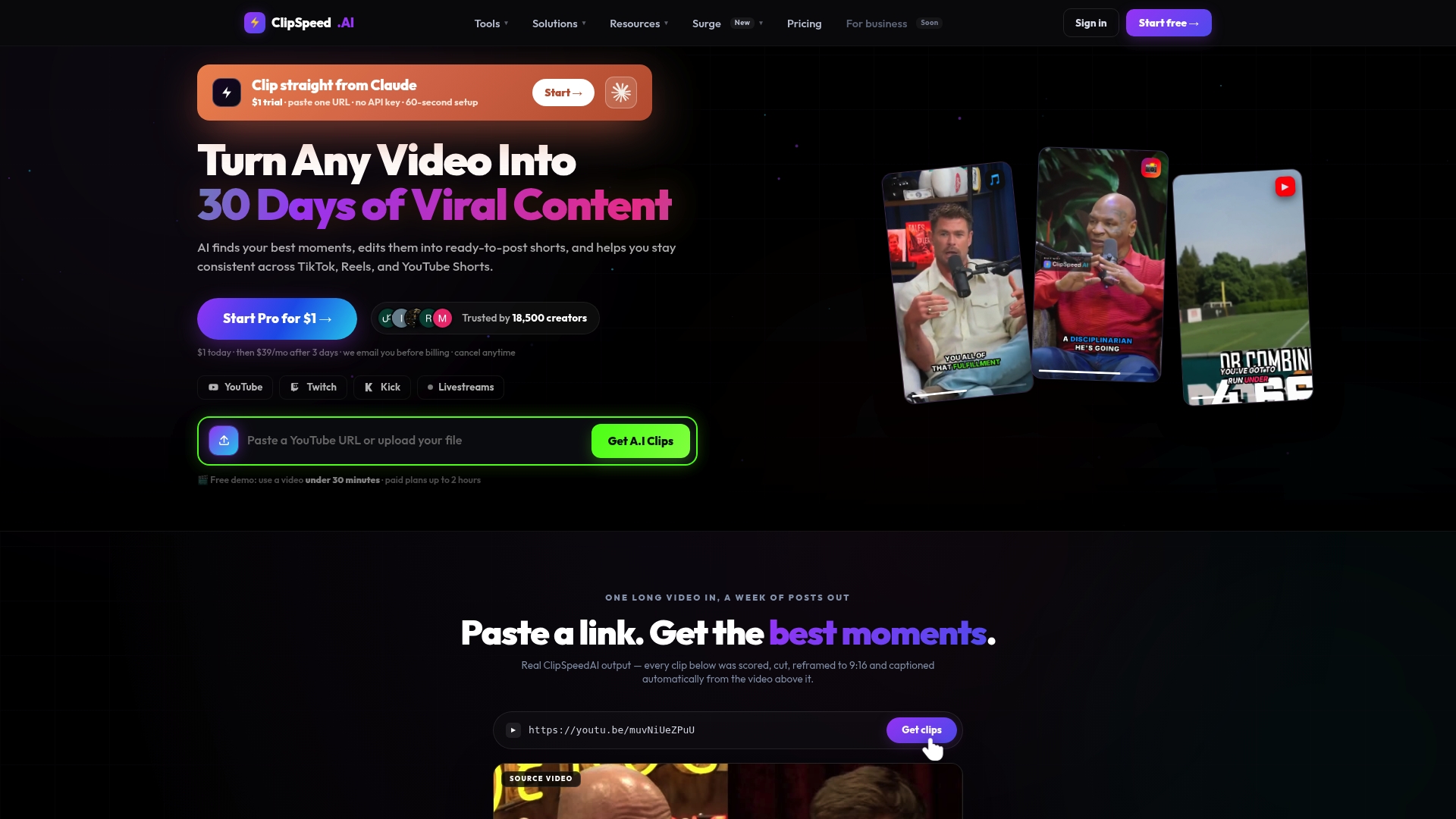
It fits creators repurposing long YouTube episodes, agencies clipping for multiple clients, and livestreamers who want highlights published the same day a stream ends. If you’re producing consistently and need posting times dialed in, that’s a fit too. Try the ClipSpeedAI clip generator with a free demo and see how many clips your next long-form upload actually produces.
Sources
FAQ
How Does TikTok Automation Work?
It works by chaining four stages together: generating clips or scripts, a human approval check, publishing through TikTok’s official Content Posting API, and monitoring results with webhooks that confirm the post went live.
Does TikTok Pay $600 for 1 Million Views?
Payout structures vary by program, region, and eligibility, and no fixed universal rate applies to every creator, so treat any flat number you see quoted online with skepticism.
How Do You Earn $1,000 a Month on TikTok?
Most creators who hit consistent income combine multiple streams, brand deals, affiliate links, live gifts, and DM-based lead generation into paid services, rather than relying on ad revenue from views alone.
How Do You Get 1,000 Views on TikTok Fast?
Posting consistently (3 to 5 times weekly), publishing when your specific audience is active, and using a strong hook in the first three seconds all move faster than any single trick, and tools that auto-caption and format clips correctly for vertical viewing remove friction that otherwise costs you watch time.
What’s the Fastest Way to Start Automating TikTok Posts?
Start with a platform that handles clip generation and scheduling together, like ClipSpeedAI’s TikTok tools, rather than assembling separate tools for editing, captioning, and publishing from scratch.