Best GTA 6 Thumbnail Ideas That Get Clicks

You can cut the cleanest GTA 6 clip on the platform and still watch it die at zero views if the packaging is weak — because on long-form YouTube the thumbnail is the video's only ad. This page gives you a repeatable system for GTA 6 thumbnail ideas that actually earn the click: the four psychological levers behind every high-CTR gaming thumbnail, six proven angles you can copy tomorrow, a testing loop that replaces guessing with data, and the one rule most creators get wrong — that thumbnails work in completely opposite ways on Shorts versus long-form.
Here is why this matters right now specifically. GTA 6 is in its launch window, which means thousands of creators will upload the exact same loading-screen moment, the same first-reveal reaction, the same map flyover — on the same day. When the footage is identical, packaging is the only thing left to compete on. The good news: clickable thumbnails are a skill, not a talent — and our thumbnail idea generator for any topic applies the same patterns to whatever you cover next. Learn the levers below and you can raise your click-through rate on purpose instead of hoping a frame happens to pop.
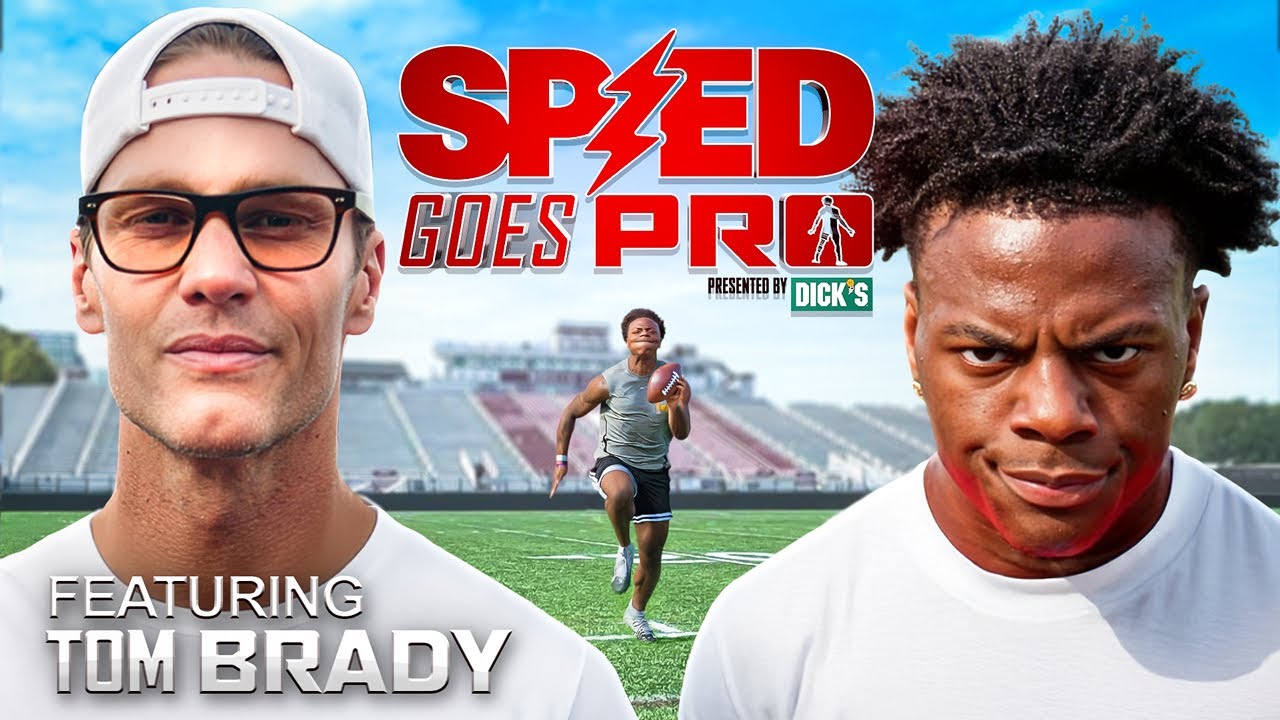

The 4 levers behind every clickable GTA 6 thumbnail
Almost every high-performing gaming thumbnail pulls on some combination of the same four psychological levers. Nail these and you're already ahead of most GTA 6 uploads — most of which lean on a raw, un-edited gameplay frame and hope for the best.
1. Contrast and color
The feed is a wall of small images competing for a thumb-scroll, and your thumbnail has to separate from its neighbors instantly. GTA's world leans into warm neon, sunset oranges, and Vice City pinks — so a saturated GTA 6 frame can blend into every other GTA 6 frame on the page. Fixes that work:
- Cut your subject out and drop it on a contrasting background — a bright character against a darker, blurred scene reads in a fraction of a second.
- Pick one accent color for text (electric yellow, cyan, hot magenta) and use it consistently so your channel becomes recognizable at a glance.
- Add a subtle outline or glow around the focal subject to pop it off the background — the single most common "pro" trick.
- Darken the edges with a vignette so the eye is pulled to the center where your action lives.
2. Faces and expression
Human brains are wired to lock onto faces, and an exaggerated emotion — shock, laughter, fear — triggers curiosity about what caused it. You don't need to be an on-camera creator to use this. A reacting streamer's face, an NPC close-up, or an over-the-top in-game moment all fire the same instinct. If you run a faceless channel, this is your cheat code: pull the most expressive frame from the stream and let it carry the emotion.
The ClipSpeedAI team's take: The most expensive GTA 6 thumbnail mistake isn't ugly design — it's a thumbnail that over-promises a moment the video doesn't actually contain. We see it constantly: a screaming reaction face slapped on a clip where nothing screams, a "SECRET" label on gameplay that reveals nothing. It works exactly once. YouTube reads the click, then the immediate drop-off, and quietly stops showing the video — so a dishonest thumbnail doesn't just fail, it drags down the impressions your next upload would have gotten. The fix is boring and reliable: package the single best real moment your clip already has, then make the thumbnail point straight at it. Your thumbnail's job is to promise the truth, loudly — not to invent a better video than the one you cut.
3. The curiosity gap
A great thumbnail makes a promise the viewer needs the video to resolve. Show the setup, hide the payoff: a character mid-fall with no ground in frame, a wanted level maxed out with no explanation, a reaction so extreme the viewer has to know what caused it. The rule — the thumbnail and title should raise a question together that only the click can answer, and then the video must actually answer it, or your retention tanks and YouTube stops showing it.
4. Text — three words, not a sentence
Thumbnail text is a headline, not a caption. Most people see your thumbnail at the size of a postage stamp on a phone, so anything over three or four big words becomes unreadable noise. Good GTA 6 thumbnail text adds information the image can't show on its own — a stakes word ("BANNED," "ARRESTED," "SECRET"), a number, or a location. Bad text just repeats the title. Use a heavy, bold font with a thick stroke or drop shadow so it survives on a bright, busy GTA background.
Proven GTA 6 thumbnail angles to steal
You don't have to invent packaging from scratch. The angles below are editorial guidance drawn from what consistently performs in the gaming and stream-clip niche — not measured data from any single channel, so treat them as reliable starting points to test against your own audience, not guaranteed outcomes. Each maps cleanly onto GTA 6 content whether you're clipping streams or filming your own gameplay:
| Angle | What it looks like in a GTA 6 thumbnail | Why it tends to earn the click |
|---|---|---|
| The reaction | A huge facial expression paired with the moment that caused it | Emotion reads in under a second — the bread and butter of stream-clip channels |
| Before / after or "vs" | A split frame: clean car vs wrecked car, day one vs endgame, expectation vs reality | The contrast tells a story instantly and invites the viewer to see the turn |
| "You weren't supposed to see this" | A glitch, a hidden area, an easter egg, a secret vehicle | Pure curiosity fuel — novelty is scarce at launch, so discovery clips spread fast |
| The countdown / ranking | "TOP 5" styling with a big number and one hero image | Reliable, evergreen, and easy to batch across many uploads |
| The stakes moment | A red-alert wanted level, a heist gone wrong, a near-death escape | High tension frozen at its peak makes the viewer need the resolution |
| The GTA V comparison | Two worlds side by side, old game vs new | Debate-bait that drives clicks and comments during the anticipation phase |
Keep a running swipe file. When a GTA or gaming thumbnail makes you click, screenshot it and note why — that reference library will improve your packaging faster than any single tip. If your bigger goal is channel growth, pair this with a real content plan: see how to grow a GTA 6 YouTube channel from zero and how to go viral with GTA 6 content.
Shorts vs long-form: not the same game
This is where most creators waste effort. The rules above are written for long-form YouTube. On Shorts, TikTok, and Reels the math changes completely.
- Long-form: the thumbnail is everything. It's the ad. Spend real time on it, A/B test it, and treat it as the highest-leverage part of the upload.
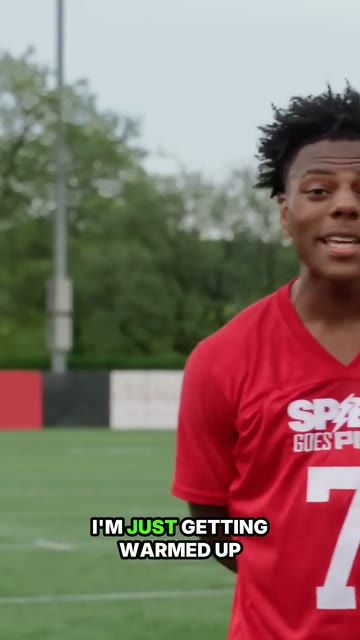
- Shorts and vertical feeds: clips autoplay silently in the feed, so the cover barely matters for the initial view. The first frame and first second of the video are your real "thumbnail." A confusing opening frame kills a Short faster than any cover ever could.
The Shorts cover still isn't useless — it becomes your image on the channel's Shorts shelf and in YouTube search. So choose a clean, high-contrast frame with a clear face or peak-action moment; just don't agonize over it the way you would a long-form thumbnail. For the packaging-and-hook system specific to vertical, read the best GTA 6 Shorts strategy for 2026.
Test your GTA 6 thumbnails instead of guessing
Your taste is not the audience's taste, and you can't out-guess data. Build a simple testing loop:
- Use YouTube's built-in A/B thumbnail test on long-form uploads — it serves multiple options and keeps the winner automatically.
- Make two genuinely different concepts, not two versions of the same idea. Test "reaction face" against "glitch reveal," not two crops of one shot.
- Watch click-through rate against impressions, and remember a high CTR only counts if watch time holds. A clicky thumbnail on a weak video just burns reach.
- Retire your losers into the swipe file, so even a flop teaches you what your specific audience ignores.
Over a few dozen uploads you'll develop a house style that consistently beats one-off guesses — and a recognizable look is its own advantage once a viewer has seen your channel before.
Where thumbnails fit in the GTA 6 clip machine
Here's the honest truth: thumbnails are the last five percent. They only matter if you're actually shipping enough content to package. In the GTA 6 launch window, the creators who win won't be the ones with the single prettiest thumbnail — they'll be the ones posting daily, testing packaging across dozens of uploads, and letting volume plus data find the winners.
That's the bottleneck editing solves. If every clip means hours of scrubbing a timeline, reframing to vertical, and burning in captions, you'll manage one or two uploads a day and never get enough reps to learn what packaging works. This is where ClipSpeedAI fits: paste a GTA 6 stream or VOD link — YouTube, Twitch, or Kick — or upload a file, and an AI agent scans the footage to surface the highest-potential moments automatically. It reframes each clip to vertical 9:16 with AI face and speaker tracking, adds animated captions, and generates titles and hashtags, exporting ready-to-post Shorts, Reels, and TikToks.
The thumbnail connection is direct: when the tool surfaces the genuinely peak moments, you're choosing your cover frame from the best seconds of the stream instead of a random one — better raw material to package. One long GTA 6 stream becomes dozens of clips, and you spend the saved time on the part machines can't do: dreaming up the reaction shot, the curiosity gap, the three-word hook that stops the scroll. For the full pipeline from raw stream to posted Short, see how to turn GTA 6 gameplay into viral Shorts, or start from the GTA 6 Creator Hub.
The takeaway
Great GTA 6 thumbnails aren't luck. Lead with contrast and one clear focal point, use a face or an expressive moment to grab attention, open a curiosity gap your video actually closes, and keep text to three punchy words. Remember that long-form lives or dies on the cover while Shorts live or die on the first second — then test relentlessly instead of guessing. Pair sharp, honest packaging with the volume a tool like ClipSpeedAI unlocks, and you're set up to win the click and the watch time when GTA 6 lands.
Turn GTA 6 streams into a daily clip machine
ClipSpeedAI's AI agent finds the viral moments, reframes them vertical, and adds captions — so you can clip GTA 6 at volume and post everywhere.
Try ClipSpeedAI →