Cinematic shots
Establishing shots, slow dollies and tracking moves for trailers, intros and mood pieces.
Type a scene, pick a model, get a finished shot. Five frontier video models — Seedance 2.5, Seedance Fast, Kling 3.0, MiniMax H3 and Veo 3.1 — in one generator, paid from one credits wallet.
Every clip below came out of the same generator you see above. Tap “Use prompt” to load it.
Establishing shots, slow dollies and tracking moves for trailers, intros and mood pieces.
Phone-camera selfies in cars, kitchens and gyms that look like a creator filmed them.
Add your product photo as the start frame and let the model move the camera around it.
Two-to-five second openers that stop the scroll before your real content starts.
The cutaway your edit is missing — a skyline, a pour, a crowd — in the exact framing you need.
Seedance 2.5 renders up to 30 seconds in one generation for scenes that need room to breathe.
Seedance, Kling, Veo, MiniMax, Nano Banana Pro and GPT Image 2 all draw from the same monthly credits as your clips. No stack of subscriptions.
Every generation shows its credit cost for the model, length and quality you picked before you confirm it.
Add a reference image as the first frame on any video model, or up to four reference photos on Nano Banana Pro and GPT Image 2.
The same account clips your long videos and streams, so AI shots, hooks and highlights live side by side.
Tap one to drop it into the generator above, then make it yours.
Subject, action, camera and light. Add a start frame if you have one.
Seedance Fast for everyday shots, Seedance 2.5 for long takes, Kling or Veo for sound.
Your video lands in your library, ready to download, post or clip.
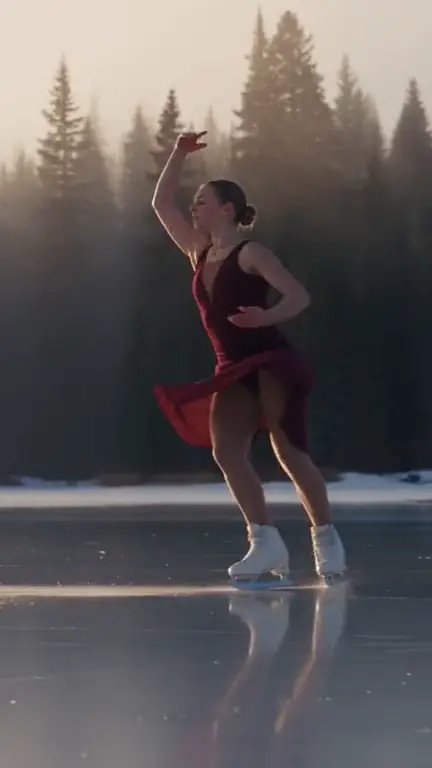
No single AI video model wins every shot. Seedance 1 Pro Fast is the everyday workhorse: quick, cheap in credits and sharp up to 1080p, which makes it the right first pass for UGC-style clips, hooks and product motion. Seedance 2.5 is the one to reach for when a scene needs time — it renders up to 30 seconds in a single generation, so a slow reveal or a walk-and-talk does not have to be stitched together from five-second pieces.
Kling 3.0 is strong on physical motion and camera moves, and it can render sound with the picture. Veo 3.1 is Google’s model, with photoreal light and optional native audio in four, six or eight second clips. MiniMax H3 is good with people and lifelike movement and goes up to 2K. Because all five sit in one generator and one credits wallet, testing the same prompt on two models costs you a few credits, not another subscription.
The prompts that render well read like a shot list, not a list of adjectives. Name the subject, the one thing that changes during the shot, where the camera is and how it moves, and the light. “A runner on a bridge” is a picture; “the runner sprints across the bridge at sunrise, tracking shot from the side, golden light flaring through the cables” is a shot the model can perform. Keep each generation to one beat — two or three actions in five seconds usually turns into mush.
Every video model in the generator accepts one start frame through “+ Add reference”. That is how you keep a product, a character or a location exactly as it looks: make or upload the still first (our AI image generator is built for it), then describe only the motion. It is the single biggest jump in consistency for ads and recurring characters.
Generated shots land in the same account that clips your long videos and streams, so a hook from the generator and a highlight from your podcast can be cut and posted from one place. Vertical 9:16 is available on every model, so nothing needs re-cropping for TikTok, Reels or Shorts.
Seedance 1 Pro Fast, Seedance 2.5, Kling 3.0, MiniMax H3 and Veo 3.1. You switch per generation; all of them draw from the same credits.
It depends on the model: Seedance Fast 2–12 seconds, Seedance 2.5 up to 30 seconds, Kling 3.0 3–15 seconds, MiniMax H3 4–15 seconds and Veo 3.1 4, 6 or 8 seconds.
Yes. Every video model takes one start frame through “+ Add reference”, and the shot begins from your image. See the image-to-video page for tips.
Up to 1080p on Seedance Fast, Kling 3.0 and Veo 3.1, up to 720p on Seedance 2.5, and 768p or 2K on MiniMax H3.
Kling 3.0 and Veo 3.1 can render audio with the picture when you choose a quality with “audio”. The other models render silent video.
Everything runs on one monthly credits wallet that you also use for clipping: Starter is $19 for 300 credits, Pro $39 for 600 and Ultra $59 for 1,000. A 10-second 720p Seedance Fast video is about 9 credits; longer and higher-quality settings cost more. The generator shows the credits before you confirm, and credits reset each billing cycle. See pricing for the full table.
New accounts can start with a $1 3-day trial: 30 minutes of clipping on any plan, watermark-free, plus your own AI Influencer. AI Video, AI Images, Morphaze and AI Ads unlock when your plan starts — or skip the trial in the app to unlock them now.
You do. Our Terms say you keep full ownership of anything you upload or generate, and you are responsible for how you use it — including having the rights to any photo or clip you upload. Platforms increasingly ask you to label realistic AI video; our disclosure guide covers YouTube, TikTok and Meta.
 AI Video Generator
 AI Image Generator
 AI Influencer Generator
 Morphaze AI Character Swap
 AI Motion Transfer
 AI Dance Video Generator
 AI Ad Generator
 AI UGC Video Generator
 AI Product Photo Generator
 Image to Video
 Text to Video
 AI Spokesperson Video
 Faceless Video Generator
 AI Storyboard Generator
Plans from $19 a month for 300 credits, shared across every AI model and your clips. Pro is $39 for 600, Ultra $59 for 1,000. Cancel anytime.
 Seedance 2.5
 Nano Banana Pro
 Kling 3.0
 Veo 3.1
 AI Clip Maker