Shots you could never film
Impossible locations, weather on demand, the golden hour that lasts all day.
Write it, watch it. Describe a scene in plain English and five frontier models turn it into a finished shot — no footage, no editing timeline.
Every shot here started as one sentence. Tap “Use prompt” to try it.
Impossible locations, weather on demand, the golden hour that lasts all day.
Openers, transitions and atmosphere for music, podcasts and essays.
The literal picture of what your voiceover is describing.
A striking first two seconds for any short.
See an idea moving before you commit to a shoot.
Up to 30 seconds in one generation with Seedance 2.5.
Seedance, Kling, Veo, MiniMax, Nano Banana Pro and GPT Image 2 all draw from the same monthly credits as your clips. No stack of subscriptions.
Every example in the app shows the exact prompt behind it. Open one, change the subject, and generate your version.
Every generation shows its credit cost for the model, length and quality you picked before you confirm it.
Every video model renders 9:16 for TikTok, Reels and Shorts, and 16:9 for YouTube and ads.
Tap one to drop it into the generator above, then make it yours.
Subject, action, camera, light — one beat per generation.
Seedance 2.5 for long takes, Kling or Veo for sound, Seedance Fast to iterate.
A finished shot, ready to download or cut into your edit.
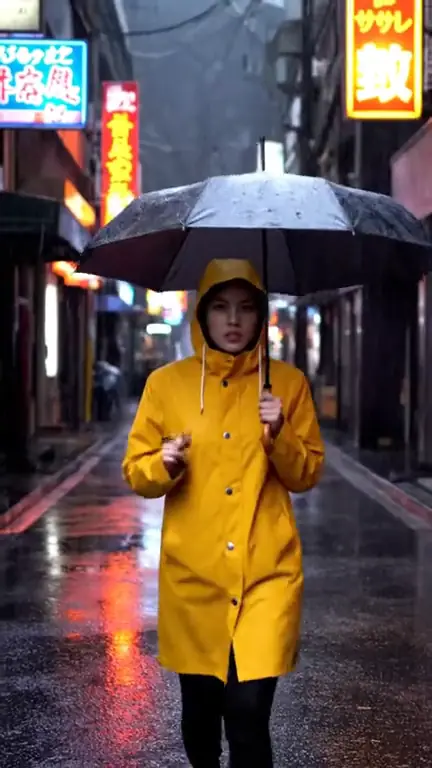
A text-to-video model generates one continuous shot. Prompts that describe a whole scene — three locations, a twist and a punchline — get compressed into something vague. Write a single shot the way a director would call it: who or what is in frame, the one thing that happens, where the camera is and how it moves, and what the light is doing.
Subject + action + setting + camera + light + style. “A white horse (subject) gallops along a black-sand beach (action, setting), low tracking shot alongside it (camera), golden hour (light), cinematic slow motion (style).” That exact prompt produced the hero on this page with Kling 3.0. Concrete nouns beat adjectives: “wet cobblestones reflecting neon” is worth more than “beautiful moody street”.
Seedance Fast is the iteration model: cheap enough to try five variations of a prompt. Seedance 2.5 is the most advanced, with single takes up to 30 seconds. Kling 3.0 handles fast physical motion and can render sound. Veo 3.1 has photoreal light and optional native audio in 4, 6 or 8 seconds. MiniMax H3 is good with people and goes to 2K. Our model comparison goes deeper.
If the shot must show a specific product, person or place exactly, switch to image-to-video and give the model a start frame. If the model keeps ignoring part of your prompt, cut the prompt down — the usual culprit is two competing actions. And if you need many consistent shots, plan them first with the storyboard generator.
The fastest workflow is two-pass. Draft a prompt on Seedance Fast at a short length until the composition and motion are right — each try costs a handful of credits. Then run the winning prompt on the model whose strengths fit the shot: Seedance 2.5 for a long take, Kling 3.0 or Veo 3.1 when you want sound, MiniMax H3 when people are the focus. Save your best prompts; they become a reusable house style.
A model that generates a video clip from a written description, with no footage required.
Seedance 1 Pro Fast, Seedance 2.5, Kling 3.0, MiniMax H3 and Veo 3.1.
Up to 30 seconds with Seedance 2.5; up to 15 seconds with Kling 3.0 and MiniMax H3; up to 12 with Seedance Fast; 4, 6 or 8 with Veo 3.1.
Kling 3.0 and Veo 3.1 can render audio with the picture when you pick a quality with “audio”.
Usually because the prompt asks for too many actions in one shot. Keep one beat per generation. Our guide on why AI video ignores your prompt lists the fixes.
Everything runs on one monthly credits wallet that you also use for clipping: Starter is $19 for 300 credits, Pro $39 for 600 and Ultra $59 for 1,000. A 5-second Seedance 2.5 video at 480p is about 19 credits; Seedance Fast at 720p is about 5. The generator shows the credits before you confirm, and credits reset each billing cycle. See pricing for the full table.
New accounts can start with a $1 3-day trial: 30 minutes of clipping on any plan, watermark-free, plus your own AI Influencer. AI Video, AI Images, Morphaze and AI Ads unlock when your plan starts — or skip the trial in the app to unlock them now.
You do. Our Terms say you keep full ownership of anything you upload or generate, and you are responsible for how you use it — including having the rights to any photo or clip you upload. Platforms increasingly ask you to label realistic AI video; our disclosure guide covers YouTube, TikTok and Meta.
 AI Video Generator
 AI Image Generator
 AI Influencer Generator
 Morphaze AI Character Swap
 AI Motion Transfer
 AI Dance Video Generator
 AI Ad Generator
 AI UGC Video Generator
 AI Product Photo Generator
 Image to Video
 Text to Video
 AI Spokesperson Video
 Faceless Video Generator
 AI Storyboard Generator
Plans from $19 a month for 300 credits, shared across every AI model and your clips. Pro is $39 for 600, Ultra $59 for 1,000. Cancel anytime.
 Seedance 2.5
 Nano Banana Pro
 Kling 3.0
 Veo 3.1
 AI Clip Maker