Photoreal product macro
Pours, drips and textures that look shot on a macro lens.
Google’s video model for photoreal light and native sound. Short, polished 4, 6 or 8 second shots at up to 1080p — with the audio generated alongside the picture.
Photoreal light and texture in 4–8 seconds.
Pours, drips and textures that look shot on a macro lens.
Choose audio and the sizzle, the rain or the crowd comes with the picture.
Four seconds of premium-looking footage to open a short.
Natural light on faces and fabric in tight, short shots.
The glossy insert shot between your UGC and your end card.
Begin on your still and let Veo add light and motion.
Seedance, Kling, Veo, MiniMax, Nano Banana Pro and GPT Image 2 all draw from the same monthly credits as your clips. No stack of subscriptions.
Every generation shows its credit cost for the model, length and quality you picked before you confirm it.
Add a reference image as the first frame on any video model, or up to four reference photos on Nano Banana Pro and GPT Image 2.
Every video model renders 9:16 for TikTok, Reels and Shorts, and 16:9 for YouTube and ads.
Tap one to drop it into the generator above, then make it yours.
Veo clips are short; one strong moment per prompt.
4, 6 or 8 seconds; 720p or 1080p; with or without audio.
720p and 1080p cost the same credits.
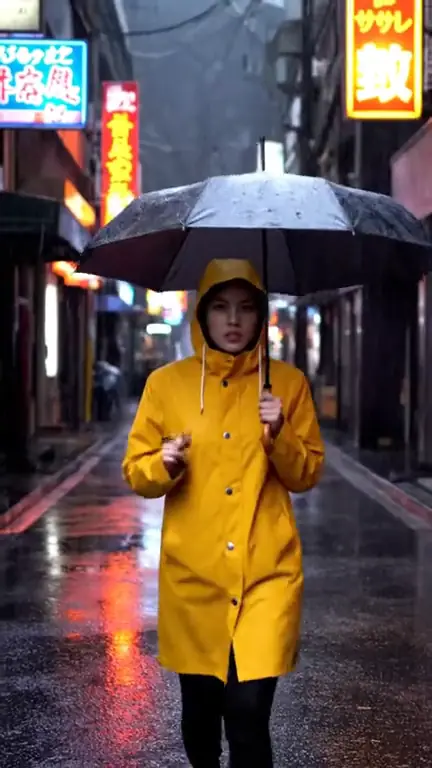
Veo 3.1 is Google’s video model, and in ClipSpeed it is the specialist for short, polished shots. Its light and texture are its signature: liquid, glass, skin and fabric look like they were shot on a real lens. Clips are 4, 6 or 8 seconds, at 720p or 1080p, in 9:16 or 16:9.
Choose a quality marked “audio” and Veo generates sound together with the picture — the sizzle in the pan, rain on the street, a saxophone under a bridge. Because the sound is generated with the motion, it lines up with what you see. Prompts that name the sound (“include the sizzle”) get better results. If you will put music or voiceover on top anyway, pick a silent quality and spend fewer credits.
Veo is ideal for the premium inserts in a short or an ad: the macro pour, the hero product moment, the four-second hook before the talking starts. Pair it with UGC-style clips from Seedance for the creator look, or with Kling 3.0 for big physical action. For long continuous takes, Seedance 2.5 runs up to 30 seconds.
Veo 3.1 credits depend on length and audio, not resolution: 720p and 1080p cost the same, so 1080p is usually the right choice. Every option shows its credits before you confirm. Read the native audio guide for how Veo compares with other models on sound.
Veo rewards specific, physical description. Describe materials and light (“condensation on cold glass”, “warm lamp light on brass”), keep to one moment per clip, and if you want sound, name it: “include the sizzle”, “rain on the window”, “a crowd cheering in the distance”. For a hook, put the most striking frame first — Veo’s clips are short, so the first second has to work on its own.
Google’s video generation model, available in ClipSpeed’s AI video generator, known for photoreal light and optional native audio.
4, 6 or 8 seconds.
Yes, when you choose a quality marked “audio”. The sound is generated together with the video.
720p or 1080p, in 9:16 or 16:9. Both resolutions cost the same credits.
Yes. Veo 3.1 takes one start frame through “+ Add reference”.
Everything runs on one monthly credits wallet that you also use for clipping: Starter is $19 for 300 credits, Pro $39 for 600 and Ultra $59 for 1,000. Veo 3.1 is 57 credits for 4 seconds with audio and 29 without; 8 seconds is 114 with audio and 57 without. The generator shows the credits before you confirm, and credits reset each billing cycle. See pricing for the full table.
New accounts can start with a $1 3-day trial: 30 minutes of clipping on any plan, watermark-free, plus your own AI Influencer. AI Video, AI Images, Morphaze and AI Ads unlock when your plan starts — or skip the trial in the app to unlock them now.
You do. Our Terms say you keep full ownership of anything you upload or generate, and you are responsible for how you use it — including having the rights to any photo or clip you upload. Platforms increasingly ask you to label realistic AI video; our disclosure guide covers YouTube, TikTok and Meta.
 AI Video Generator
 AI Image Generator
 AI Influencer Generator
 Morphaze AI Character Swap
 AI Motion Transfer
 AI Dance Video Generator
 AI Ad Generator
 AI UGC Video Generator
 AI Product Photo Generator
 Image to Video
 Text to Video
 AI Spokesperson Video
 Faceless Video Generator
 AI Storyboard Generator
Plans from $19 a month for 300 credits, shared across every AI model and your clips. Pro is $39 for 600, Ultra $59 for 1,000. Cancel anytime.
 Seedance 2.5
 Nano Banana Pro
 Kling 3.0
 Veo 3.1
 AI Clip Maker