AI Video Camera Movement Prompts: 40 Copy-Ready Shots, From Dolly to FPV
 ClipSpeedAI
◷ 18 min read
Updated
ClipSpeedAI
◷ 18 min read
Updated
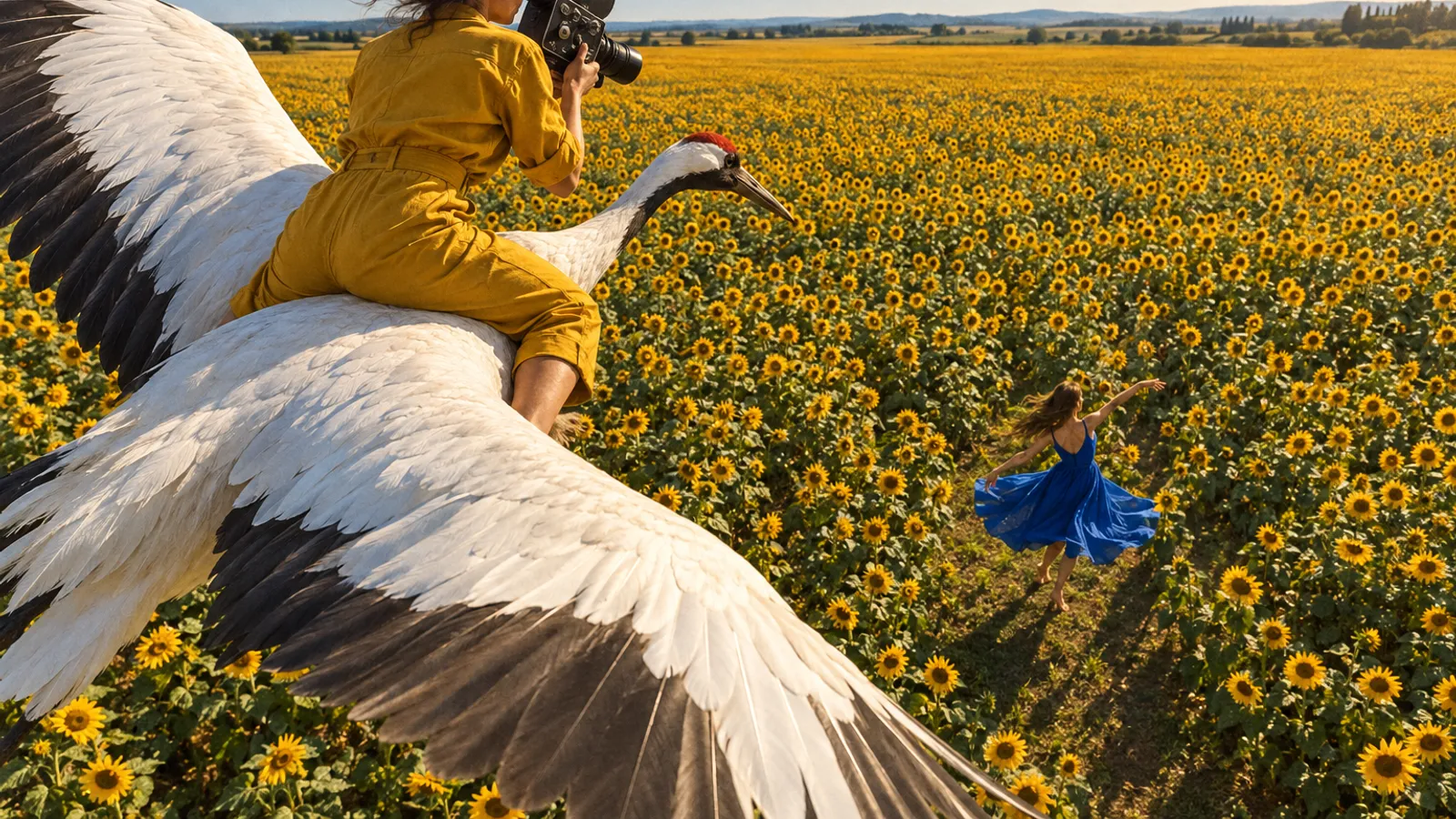
To get a camera move out of an AI video model, write it the way a grip would rig it: where the camera starts, the path it travels, where it stops, how fast it goes and through what lens, with one main move per shot. BytePlus's Seedance guides, Kling's camera guide and Runway's help center agree, and Runway adds a warning for every model: video models are built to produce motion, so a still camera must be asked for explicitly.
Below: 40 copy-ready shot lines grouped by move, the failure each invites and its fix, a lens cheat sheet, multi-shot timing by model and what each maker documents. Limits were read on each maker's page on October 8, 2026.
How do you write a camera move an AI video model will follow?
Answer five questions in every shot line. A move with no end frame drifts, and one with no speed whips.
- Start frame. Shot size, height and angle: "medium shot, eye level".
- Path. Does the camera travel forward (push-in), sideways (truck), straight up (pedestal) or around (orbit), or does it rotate in place (pan, tilt)? Runway's camera terms draw that line: pan and tilt rotate from a fixed point; truck and pedestal move the camera.
- End frame. What fills the frame when the move stops. Kling's camera guide says a pull-back needs a clear starting subject and a clear environment to reveal.
- Speed. Slow, steady, walking pace or fast. BytePlus tells Seedance 2.0 users to favour slow, gentle, continuous movement, and slow camera moves hold up better too.
- Lens. A focal length, so the model knows how fast the background slides.
- One main move per shot. BytePlus's Seedance 2.0 guide says asking for push, pull, pan and move at once increases image instability; Kling says one main move per shot is usually cleaner.
- Write stillness as a sentence. Runway suggests "The locked-off camera remains perfectly still."
- Dolly or zoom, on purpose. A dolly moves the camera; a zoom changes focal length. Add "no zoom" to physical push-ins.
- Ask for motion blur precisely. RED puts a 180-degree shutter at about 1/48 second at 24 fps and calls it the standard cinematic look. Write that, not "cinematic".
- Give every move a job. Push in for a decision, pull back for scale, orbit for a product's sides.
Cinematic camera movement around a woman at a pottery wheel, dynamic and epic, zooming and panning.
Medium shot at eye level, 50mm lens. The camera makes one slow 90-degree arc to the left around a potter at her wheel, starting on her face in profile and ending over her shoulder on the spinning clay. Constant distance, steady speed, no zoom. 180-degree shutter, natural motion blur on the wheel only.
For subject, light and audio, see our AI video prompt guide. If a move still comes back wrong, read why AI video ignores your prompt.
Static, push and pull shots (1–9)
Start here. Kling's guide calls a slow push-in on a still subject the easiest move to land.
| Move | Use it for | Failure → fix |
|---|---|---|
| Locked-off wide | Establishing a place | Creeps → still-camera sentence |
| Top-down static | Hands, food, desks | Drifts off overhead → "directly overhead" |
| Static low angle | Making a subject loom | Faces bulge → step the camera back |
| Deep-focus tableau | Action toward the lens | Background softens → "deep focus" |
| Slow push-in | A decision or realization | Turns into a zoom → "dolly, no zoom" |
| Product push-in | Texture and finish | Label warps → keep the text small |
| Pull-back reveal | Scale and context | Nothing to reveal → describe the place |
| Dolly zoom | Dread, vertigo | Only half happens → explain both halves |
| Push through an opening | A new space in one take | Hidden cut → "one continuous move" |
1. Locked-off wide shot on a tripod, 35mm lens, eye level. The locked-off camera remains perfectly still for the whole clip; only the dryers spin while a woman folds towels at the center table of a laundromat.
2. Static top-down close-up directly above a wooden counter, 50mm lens. The camera does not move. Two hands roll sushi on a bamboo mat in the center of frame; the frame edges stay fixed.
3. Static low-angle medium shot, 24mm lens, camera at knee height looking up. A lighthouse keeper steps into frame and stops at center, coat flapping in the wind; the camera stays locked.
4. Locked-off symmetrical wide shot down a library aisle, 35mm lens, deep focus. A librarian pushes a book cart from the far end toward the lens and stops in the foreground. The camera never moves.
5. Medium shot to close-up. Slow dolly push-in from 2 meters to 1 meter over the full clip, 50mm lens, eye level, no zoom, ending on the chess player's eyes as she sees the winning move.
6. Slow dolly push-in on a ceramic mug on a sunlit windowsill, starting medium-wide and ending in a close-up where the speckled glaze fills the frame. 85mm lens, steady speed, no zoom.
7. Close-up of a fisherman's hands knotting a net, then the camera dollies straight back, slow and steady, ending wide on the whole harbor at dawn behind him. 35mm lens.
8. Dolly zoom: the camera physically pushes toward the woman while the lens zooms out from 50mm to 24mm, so she stays the same size while the hospital corridor behind her stretches away. One smooth, slow move.
9. The camera pushes forward through an open greenhouse door, from the rain outside to the hanging ferns inside, ending on a gardener at a potting bench. 24mm lens, walking speed, one continuous move, no cuts.
Truck, pan, tilt and pedestal shots (10–15)
These separate moving the camera (truck, pedestal) from turning it in place (pan, tilt). Mix them up and a "pan" comes back as a slide.
| Move | Use it for | Failure → fix |
|---|---|---|
| Lateral truck | Following someone past stalls | Subject drifts → "keeping her centered" |
| Parallax truck | Depth in a quiet scene | Layers move together → name the foreground |
| Pan | Scanning to a detail | Camera travels → "fixed tripod" |
| Tilt up | From a detail to height | Pointless → needs vertical structure (Kling) |
| Tilt down | From sky to subject | Ends on nothing → name the end subject |
| Pedestal up | Following a lifted object | Becomes a crane arc → "horizon level" |
10. The camera trucks right at walking pace, parallel to a woman strolling past night-market stalls, keeping her centered in a medium shot. 35mm lens; paper lanterns slide past behind her.
11. Slow truck left past out-of-focus ferns in the foreground, revealing a deer standing still in a misty clearing. 85mm lens, shallow depth of field; the ferns slide faster than the deer.
12. From a fixed tripod, a slow pan left to right across a salt flat at sunrise, starting on an empty horizon and ending on a lone red tent. 24mm lens. The camera rotates only; it never travels.
13. Fixed camera position. Slow, even tilt up from muddy boots on a ladder rung to the climber's face, continuing up to a radio mast against a clear sky. 35mm lens.
14. Starting on a full moon, the camera tilts down slowly to a flat rooftop where a violinist plays alone, ending in a medium-wide shot. 50mm lens; the camera position does not change.
15. Pedestal up: the camera rises straight up, without tilting, from counter height to standing eye level as a baker lifts a tray of bread out of the oven. 35mm lens, slow, horizon level.
Shot list ready? Your long videos have moves worth posting too.
ClipSpeedAI finds the strongest moments in your streams and long uploads, cuts them to vertical 9:16, burns in captions and scores every clip.
Try ClipSpeedAI →Orbit, arc, crane and drone shots (16–24)
Circular and vertical moves sell scale and shape, and they warp faces and hands most, so keep them slow with one subject. Google's Veo 3.1 prompting guide includes a smooth 180-degree arc among its worked examples, and BytePlus's Seedance 2.5 tutorial shows a 360-degree orbit generated between a first and a last frame.
| Move | Use it for | Failure → fix |
|---|---|---|
| 180-degree arc | Profile to over-the-shoulder | Face swells → "constant distance" |
| 360 product orbit | Every side of a product | Object spins instead → "stays still" |
| Quarter arc, two people | Two-shot to single | Crossing the axis flips screen direction |
| Low hero orbit | Performers, athletes | Ground warps → a shorter turn |
| Crane up | Endings, crowds | Horizon tilts → name the end height |
| Crane down | Landing on one person | Lands on the wrong person → name who |
| Jib over an obstacle | Revealing what is behind | Clips through → "rises above" |
| Drone flyover | Rivers, roads, coasts | Adds a spin → "no rotation" |
| Top-down rise | A person becoming a pattern | Tilts up → "keeps pointing down" |
16. A slow 180-degree arc around a potter at the wheel, starting on her face in profile and ending behind her shoulder on the spinning clay. Constant distance of about 2 meters, 35mm lens, eye level.
17. A smooth 360-degree orbit around a single white sneaker on a plinth. The sneaker stays still and centered at the same size; the camera completes one full circle over the clip. 50mm lens, softbox light fixed.
18. A slow quarter arc from a two-shot of two chess players to an over-the-shoulder on the younger player, staying on the same side of the table throughout. 35mm lens; the board stays in frame.
19. Low-angle quarter orbit at knee height around a skateboarder balancing on a curb at dusk, slow and smooth. 24mm lens, streetlights glowing softly behind him.
20. Crane up: start at eye level on a man reading on a park bench, then the camera rises smoothly to rooftop height while tilting down, ending high above the whole autumn park. 24mm lens.
21. Crane down from a high wide view of a night food market, descending slowly through the hanging bulbs to eye level on a ramen cook ladling broth. 35mm lens.
22. Jib shot: the camera starts low behind a stone garden wall, rises above it and settles on a small wedding party in a sunlit courtyard. One smooth arc, 35mm lens.
23. Aerial drone shot flying forward at constant height over a turquoise river canyon as a single kayak passes below. The drone holds altitude and heading; no rotation. Wide lens.
24. Top-down drone shot directly above a woman lying in a field of red poppies, rising straight up slowly until she is a small figure in the pattern. The camera keeps pointing straight down.
Handheld, selfie, POV and FPV shots (25–32)
Handheld is a texture, not a path, so give it one: who it follows, how far back, how much shake. BytePlus's Seedance 2.5 prompt guide lists handheld shake, first-person perspective and FPV among the camera terms the model reads directly.
| Move | Use it for | Failure → fix |
|---|---|---|
| Handheld follow | Urgency, behind the scenes | Shake swamps it → name the distance |
| Handheld close-up | Craft, documentary detail | Focus hunts → "stays in focus" |
| Selfie vlog | Creator-style talking clips | Warped arm → keep the arm out of frame |
| Body-mounted rig | Panic, effort | Face slides → "face locked" |
| First-person POV | Opening, unboxing | Extra hands → "two hands only" |
| FPV dive | Cliffs, towers | Smears → "fast but smooth" |
| FPV through a gap | A transition without a cut | A cut appears → "one continuous path" |
| Vehicle-mounted track | Driving, travel | Car and road disagree → name the speed |
25. Handheld follow from behind at shoulder height as a nurse walks fast down a night-shift hospital corridor. Light natural shake; the camera keeps a steady 1-meter distance. 35mm lens.
26. Handheld close-up, documentary style, gentle breathing sway, on an old watchmaker setting a tiny gear under a desk lamp. 50mm lens; small reframes only; his hands stay in sharp focus.
27. Selfie-style shot: a woman holds her phone at arm's length on the front camera, walking through a flower market and talking to the lens. Slight bounce from her steps, wide lens, her face stays centered, her arm out of frame.
28. Body-mounted rig shot: the camera is fixed to a runner's chest facing her face. Her face stays locked in the center of frame while the forest trail behind her bounces and swings.
29. First-person POV at eye height: two hands enter from the bottom of frame and slide open a paper door onto a quiet tea room. Slow walking pace, 24mm lens, two hands only.
30. FPV drone dive: starts above a sea cliff, tips forward and dives along the rock face toward the surf, leveling out a meter above the water. Fast but smooth, wide lens.
31. FPV drone flies forward through the open window of an abandoned bus, along the aisle and out the opposite window into a sunflower field. One continuous path, no cuts.
32. Car-mounted tracking shot alongside a vintage convertible on a coastal road, matching its speed at door height, the driver in profile. 35mm lens; the guardrail streaks with motion blur.
Unwanted cut? Runway's image-to-video guide suggests a longer duration, then "Continuous, seamless shot".
Whip pans, crash zooms, rack focus and speed ramps (33–40)
These read as edits, so use one per shot. BytePlus says niche terms work best written as the term plus a plain description, using a rack focus as its example, and that a transition should state both when it happens and how.
| Move | Use it for | Failure → fix |
|---|---|---|
| Whip pan | Linking two beats | Lands nowhere → name both ends |
| Crash zoom | Comedy, shock | Becomes a slow push → "sudden lens zoom" |
| Rack focus, near to far | Revealing who waits | Both planes sharp → "shallow focus" |
| Rack focus, far to near | A clue, a hand-off | Camera moves → "locked-off" |
| Shallow-focus track | One face in a crowd | Face softens → name what stays sharp |
| Speed ramp | One key instant | Never returns → describe both changes |
| Bullet time | A suspended moment | Objects keep moving → "time stays stopped" |
| Locked-off time-lapse | Light changing over a place | Drifts → still-camera sentence |
33. Whip pan from a bartender sliding a glass down the bar to the customer catching it at the far end. Very fast pan with strong motion blur; the camera position stays fixed.
34. Medium shot of a quiz-show contestant, then a sudden crash zoom (fast lens zoom, no camera travel) into her widening eyes as the answer is revealed. Hold on the close-up after the zoom.
35. Locked-off shot, 85mm lens, shallow focus. Rack focus: focus starts on raindrops on a cafe window in the foreground, then shifts smoothly to a man waiting at the bus stop outside. The camera does not move.
36. Locked-off shot, 50mm lens. Rack focus from a band on a small stage in the background to a guitar pick held between two fingers in the foreground; the focus shift is slow and smooth.
37. Slow tracking shot at a dancer's pace, 85mm lens, wide aperture: her face stays sharp while the crowd in front of and behind her melts into soft blur.
38. Speed ramp: real-time medium shot of a diver walking to the end of the board, ramping into slow motion as she leaves it, then back to real time as she breaks the water. Static camera.
39. Bullet time: a waiter's tray of glasses frozen mid-fall. Time stays stopped while the camera arcs 90 degrees around the suspended glasses and droplets, then normal speed resumes.
40. Locked-off time-lapse from a high window over a city intersection: traffic becomes light trails and clouds race from late afternoon into night. The camera stays absolutely still.
Which lens should you name in an AI video prompt?
Focal length sets how much of the world is in frame. Angles are horizontal, full-frame, rounded from Bill Claff's table.
| Lens | Horizontal view | Look | Pair it with |
|---|---|---|---|
| 14mm | About 104° | Stretched edges, deep space | FPV, tight interiors |
| 24mm | About 74° | Wide and immersive | Selfie, handheld, crane reveals |
| 35mm | About 54° | Documentary width | Trucks, follows, push-throughs |
| 50mm | About 40° | Neutral | Arcs, medium push-ins |
| 85mm | About 24° | Compressed, flattering on faces | Portrait push-ins, rack focus |
| 135mm | About 15° | Stacked layers | Isolating one person |
Add "shallow depth of field" or "deep focus"; both are in Google's Veo guide. Higgsfield's Cinema Studio 4.0 makes aperture a setting (f/1.4, f/4 or f/11); in plain text, write "wide open, background melts" or "everything sharp".
How do you time several camera moves in one generation?
Match the format to the model:
- Seedance 2.5 → timestamps or "Shot N", per BytePlus. The music-video example in its Seedance 2.5 tutorial runs eight hard-cut shots of two to three seconds across 20 seconds.
- Seedance 2.0 → "Shot 1 / Shot 2 / Shot 3" without durations; BytePlus says its support for precise timing such as 0–3 seconds is unstable.
- Veo 3.1 → Google's guide shows four two-second timestamp blocks filling one 8-second clip.
- Kling 3.0 → its multi-shot mode, or start and end frames to pin both ends of a move.
- Runway Gen-4.5 → list moves in order and pick a longer duration, as Runway advises for sequences.
SCENE: [length]-second [9:16 or 16:9] clip, [N] shots, hard cuts between shots.
CAST LOCK: [subject: age, build, wardrobe, one distinguishing detail], identical in every shot.
Shot 1 (0-3s): [shot size], [lens]. Camera: [ONE move, start → end, speed]. Action: [one beat].
Shot 2 (3-6s): [shot size], [lens]. Camera: [ONE move, start → end, speed]. Action: [one beat].
Shot 3 (6-10s): [shot size], [lens]. Camera: [ONE move, start → end, speed]. Action: [one beat that ends the clip].
KEEP CONSTANT: [key light source and direction], [grade], [screen direction].
EXCLUDE: no subtitles, no text, no logos, no watermarks.
For one continuous shot, the ten-block structure keeps the camera from competing with the action. On Seedance 2.0, drop the second marks.
SCENE: One continuous 10-second shot, 9:16 vertical, real time, no cuts.
SUBJECT: A woman in her sixties, short grey hair, navy canvas apron streaked with clay, a silver ring on her left thumb.
LOCATION: A small pottery studio at dawn; shelves of unglazed bowls behind her, a window to frame left.
CAMERA: Starts in a medium shot at eye level, about 1.5 meters away. One slow 90-degree arc to the right at constant distance, ending over her right shoulder on the wheel. No zoom.
OPTICS: 50mm lens, shallow depth of field, focus held on her hands for the final 4 seconds.
ACTION: 0-4s she centers a lump of wet clay; 4-8s her thumbs open the center; 8-10s she lifts the wall of a small bowl and stops while the wheel keeps turning.
PHYSICS: The clay is wet and heavy, slip runs over her knuckles, the wheel spins at a steady speed, water beads on the splash pan.
LIGHTING: Cool blue window light from frame left as the key, a warm bare bulb behind her as a rim; the light stays constant.
AUDIO: Wheel hum, wet clay sounds, a kettle ticking as it cools. No music, no dialogue.
STYLE: Photoreal documentary, soft film grain, natural skin texture, 180-degree shutter with motion blur on the wheel only. No subtitles, no text, no logos, no watermarks.
Planning a whole song? The AI music video guide maps shots to verses and choruses.
Which AI video models handle camera movement well?
No maker publishes a cross-model camera benchmark, and we have not run one. This table sticks to what each documents.
| Model | Length per generation | Camera input | Documented weak spots |
|---|---|---|---|
| Seedance 2.5 | 4–30 s | Terms written directly, from dolly zoom to FPV; timestamps or "Shot N"; reference video or 3D clay-model motion | Niche terms need a plain description; storyboards guide plot, not frames |
| Seedance 2.0 series | 4–15 s | Standard terms; "Shot 1 / 2 / 3" | One move per shot; second-level timing unstable |
| Kling 3.0 | 3–15 s | Push, pull, pan, tilt; multi-shot; start and end frames | Push-ins combined with many subject changes |
| Veo 3.1 | 4, 6 or 8 s; each extension adds 7 s | Dolly, tracking, crane, aerial, POV, arc; timestamp blocks; first and last frame | 1080p and 4K need 8 s; extensions are 720p |
| Runway Gen-4.5 | 2–10 s | Camera-terms library, pedestal to rack focus | True stillness is hard; image motion cues fight the prompt |
| Higgsfield Cinema Studio 4.0 | Up to 30 s | 30+ movement presets; lens, aperture, camera body | Presets live in its app only |
From each maker's documentation: BytePlus, Kling, Gemini API, Runway and Higgsfield, checked October 8, 2026. Kling says 4.0 launches in October with up to 10 keyframes and 30-second generations.
A missed move costs the same as a good one. Seedance 2.5's draft mode renders a 480p preview at the normal 480p rate before a high-resolution final. Runway lists Gen-4.5 at 12 credits per second, so a 10-second test costs 120 credits whether the move lands or not. See the AI video cost breakdown and Veo vs Seedance vs Kling.
Camera words are requests, not rigs; Kling's own guide says generation is still probabilistic. When a path must be exact, give the model something to copy: a first and last frame (see our image-to-video workflow), a reference video, or Seedance 2.5's 3D clay-model reference, which BytePlus says works best as a simple, coarse model built from basic shapes.
Will the move survive a vertical crop?
Generate in 9:16 when you can. BytePlus's Seedance 2.0 guide notes that landscape renders add unwanted subtitles much less often than portrait ones, and suggests cropping to portrait afterwards. If you crop, favour centred moves: push-ins, pedestals and orbits keep the subject in the middle, while a wide truck or pan carries it toward edges a 9:16 crop discards. Our vertical AI video guide has the pixel math.
Where does ClipSpeed fit?
AI Creator is ClipSpeed's generation workspace, built around five video models (Seedance 2.5, Kling 3.0 Turbo, MiniMax H3 Max, Veo 3.1 and Gemini Omni 1.1 Flash) and three image models (Nano Banana Pro, GPT Image 2.5 Flare and GPT Image 2.5 Sunburst). For camera work, the vendor docs above point to Seedance 2.5 for long takes and multi-shot timing, and to Veo 3.1 for moves pinned between a first and last frame. ClipSpeed Create, in early access, brings that generation into Claude or ChatGPT (how it connects); every generation is quoted first and runs only after the account owner approves it on a signed-in ClipSpeed page.
After the render comes ClipSpeed's AI clipping. Give it a longer edit, such as a music video built from generated shots, and it finds the strongest moments, cuts them to 9:16 or 16:9, burns in the spoken words as captions in one of six styles (see how to caption Shorts) and scores each clip.
It can't repair a camera move. A crop can't recover a subject the move pushed out of frame, captions won't hide a warped hand, and a silent drone shot gets no captions at all.
Camera prompt checklist before you spend credits
- One main move per shot, with a start frame, a path and an end frame.
- A lens named, and "no zoom" on physical push-ins.
- Stillness written as a sentence.
- No motion cues in the source image (blur, dust) that contradict the move.
- Multi-shot timing in the format your model documents.
- Subject centred if a 9:16 crop is coming.
- A cheap draft first, and the most kinetic move up front if the clip opens a Short (see winning the first seconds).
Have streams or long videos already? Run them through ClipSpeedAI for captioned vertical clips without rendering a frame.
Sources and method
Camera guidance and limits come from each maker's own documentation, read on October 8, 2026. We ran no comparative generation tests; the 40 shot lines and the ten-block example are original, written to those documented rules.
- BytePlus: Seedance 2.5 tutorial, Seedance 2.5 prompt guide, Seedance 2.0 prompt guide
- Kling: camera control guide, Kling 4.0 vs 3.0
- Google: Veo 3.1 prompting guide, Veo 3.1 in the Gemini API
- Runway: camera terms, Gen-4.5, image-to-video guide
- Other: Higgsfield Cinema Studio 4.0, RED on shutter angle, Bill Claff angle-of-view table
Got any questions left?
What is the easiest AI camera movement to get right?
A slow push-in on a still subject, which Kling's camera guide calls usually the easiest move. Write "slow dolly push-in, no zoom" and name the detail it ends on.
What is the difference between a dolly and a zoom in an AI video prompt?
A dolly moves the camera, so foreground and background shift against each other. A zoom changes focal length from one spot, so the image flattens. Ask for a "crash zoom" only when you want the snap.
How do I stop the camera moving in an AI video?
Write stillness as a sentence ("The locked-off camera remains perfectly still") and give the motion to the subject. Runway also suggests stabilizing the shot in an editor afterwards.
Can I use more than one camera movement in one AI video?
Yes, across shots: one main move per shot, changing at a cut, with timestamps or shot labels in the format your model documents.
Do camera movement prompts work for image-to-video?
Yes. Runway's guide says image-to-video prompts should describe motion rather than restate the picture, and that blur or dust in the image can fight the move. Our image-to-video workflow covers start and end frames.
Which AI video model follows camera directions best?
No maker publishes a cross-model camera benchmark. Seedance 2.5 runs longest per generation (up to 30 seconds) and can copy motion from a reference video; Veo 3.1 and Kling 3.0 take a first and last frame. Test your exact move with a cheap draft.
Related guides
Published by ClipSpeedAI · AI video generation and AI clipping in one place — create with Seedance, Veo, Kling and Nano Banana, then cut it into captioned shorts.