Product Photo to AI Video Ad: Formats, Prompts, Hooks and Costs
 ClipSpeedAI
◷ 12 min read
Updated
ClipSpeedAI
◷ 12 min read
Updated
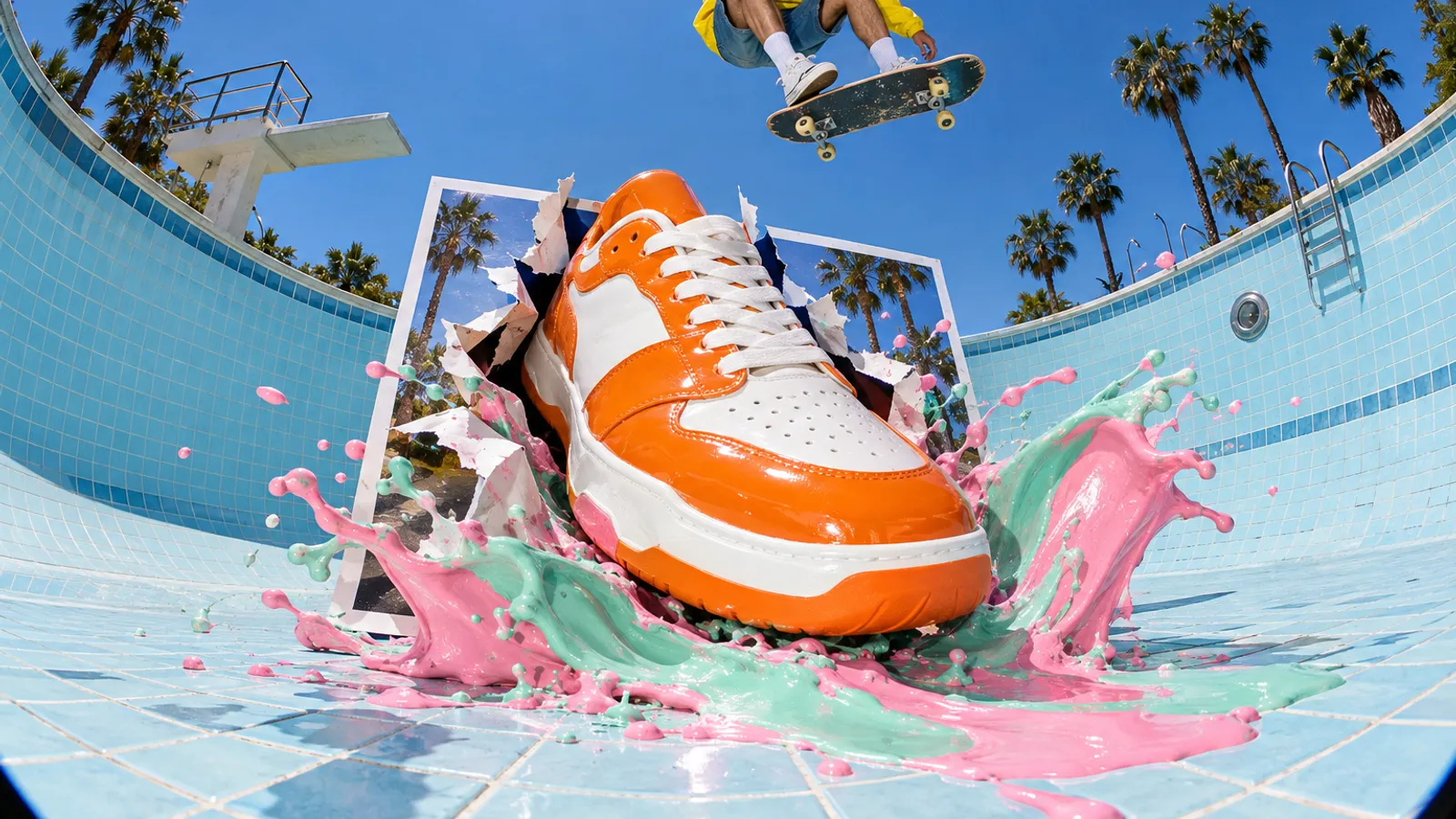
To turn a product photo into a video ad, crop the photo into a clean vertical start frame, pick one format that proves one thing (an orbit for shape, a macro for texture, a hand-held demo for function), and give an image-to-video model a prompt that describes only the motion while the label faces the camera. Close on an end card built from your real packshot, then caption it, label it as AI where the platform asks, and test two or three hooks over the same body. One 720p attempt of 8 to 10 seconds costs about $0.80 to $4.73 on the hosts we checked, and most ads need several.
This guide covers the ad itself. For the general still-to-motion method, see our image-to-video workflow; for presenter-led formats, our AI UGC guide.
What do you need before you turn a product photo into a video?
One photo is enough to start, but six give the model more to hold on to. Image-to-video models invent whatever the photo hides, and the hidden side is where logos slide.
| Shot | Why the model needs it | Shooting note |
|---|---|---|
| Front hero | The start frame for most formats | Leave room above for hook text |
| Three-quarter | Shows depth for orbits | Same light and height as the front |
| Back or side | Stops guessing at the unseen side | Include any second label, port or seam |
| Texture macro | Feeds close-ups | Raking side light |
| In hand | Fixes real scale | Adult hand, plain sleeve |
| Label flat-on | Clean artwork for the end card | Square to the lens, no glare |
Decide where the ad runs first, because the crop of the start frame becomes the crop of the clip.
| Placement | Shape | Size | Length allowed | Keep text and logos out of |
|---|---|---|---|---|
| TikTok In-Feed ad | 9:16 recommended | At least 540×960 | Up to 10 minutes, 500 MB | TikTok's downloadable safe-zone files |
| Instagram Reels ad | 9:16 | 1440×2560 recommended | Up to 15 minutes, 4 GB | Top 14%, bottom 35%, 6% each side |
| YouTube Shorts (organic) | Vertical or square | Not specified | Up to 3 minutes | Not specified |
From TikTok's video ad specifications, Meta's Reels ad guide and YouTube Help, checked October 8, 2026. TikTok's length limit is for non-Spark ads.
Which video ad format fits your product?
Choose the format by what a shopper doubts. Unsure about size? Put a hand in the shot. Unsure about quality? Show the material up close.
| Format | Fits | What it proves | Clip length | Start with |
|---|---|---|---|---|
| Hero orbit | Shoes, headphones, bottles, small furniture | Shape and finish from more than one side | 8 s | Veo 3.1 with product reference images |
| Texture macro | Food, skincare, knitwear, leather | Material quality | 5–8 s | Kling 3.0 with audio off |
| In-use demo | Tools, cookware, bags, phone accessories | That it works, and how | 8–12 s | Kling 3.0 Turbo or Seedance 2.5, with sound |
| Scale in hand | Earbuds, jewellery, travel gear | Real size | 5–8 s | Any model, from the in-hand still |
| Reveal | Gift sets, boxed kits, subscriptions | What arrives at the door | 8–10 s | A start frame plus an end frame |
| Flat-lay build | Bundles, meal kits, stationery sets | Everything that is included | 8–10 s | An end frame of the finished layout |
| Creator-style review | Beauty, apparel, home goods | A person using it, in their own words | 12–15 s | Seedance 2.5 or a UGC tool, with consent for any real face |
Already have filmed demos? Our guide to turning product demos into short clips covers that route.
How do you keep the logo and label from warping?
Lettering breaks first: to a video model, a label is surface pattern, and pattern stretches when the surface turns. Defences, strongest first:
- Finish on the real packshot. Let the generated clip carry the motion, then cut to your own label photo for the last two seconds, with price and call to action as editable text.
- Lock the end frame. Use the clean label shot as the end frame; Veo 3.1, Kling 3.0 and Seedance 2.5 all accept one.
- Add references. Nano Banana Pro takes up to six high-fidelity object images for the still. Veo 3.1 and Veo 3.1 Fast accept up to three reference images, for 8-second clips only. Kling 3.0 takes up to seven reference images or subjects without a reference video.
- Keep the label square to the lens. Push-ins, tilts and locked-off shots keep text flat. A full orbit turns the label away and back, and the return is where letters change.
- Never let the model write claims. Small print, prices and promises go in the edit, where you can proofread them.
End every prompt with a KEEP line ("the label, logo and colours stay exactly as in the start frame"). It reduces drift without removing it.
How do you turn a product photo into a video ad, step by step?
- Prepare the start frame. Crop the front shot to 9:16. If the background is cluttered, rebuild it with an image model using your photos as references, then check the label at full size. Our Nano Banana Pro guide has product-shot recipes.
- Choose one format per clip from the table above.
- Write a motion-only prompt: the move, the physics, the sound and what must not change.
- Draft cheap. Lower resolution, a faster tier or no audio, changing one variable per attempt.
- Review paused frames. Check the logo, hands, liquid and fabric.
- Render the final once at the size the placement needs.
- Assemble: hook in the opening two seconds, the proof clip, then the end card with packshot, price and call to action.
- Caption, label and version. Captions for sound-off viewers, the platform's AI label, and two or three hook variants over one body.
Filmed a launch stream or a long review? Clip it.
ClipSpeedAI finds the moments in your long product videos and livestreams that hold attention, cuts them to vertical 9:16, burns in captions and scores each clip.
Try ClipSpeedAI →What motion prompts make a product look real?
A product prompt has one task: make the viewer believe something true about the product. Write motion as a path, name every point of contact, and finish with a KEEP line.
Delicious chili crisp jar, appetizing, cinematic lighting, 4K, ultra realistic, viral food ad.
CAMERA: locked-off macro, lens level with the jar's shoulder.
ACTION: 0-2s a steel teaspoon enters from the right and dips into the jar. 2-5s it lifts out heaped with oil and chili flakes; oil runs off its edge in two thin threads. 5-8s the spoon leaves frame left; one flake slides slowly down the inside of the glass.
PHYSICS: the oil is thick and slow; flakes cling to the spoon; nothing floats.
LIGHT: unchanged, warm window light from the left catching the oil.
AUDIO: a soft clink of steel on glass, a wet crunch as the spoon goes in. No music.
KEEP: jar shape, lid colour and front label exactly as in the start frame; the label faces the lens throughout.
A ten-block prompt for a product in use
When a person handles the product, write all ten blocks and declare each reference once.
SCENE: 10-second single take, vertical 9:16, real time, showing the shoe gripping wet rock.
SUBJECT: the trail shoe from image 1 with the sole from image 2: slate-grey mesh upper, orange heel tab, black lugged outsole. Worn by an adult runner seen from the shin down in black tights. Colours, laces and heel tab stay exactly as referenced.
LOCATION: a granite slab beside a mountain stream, moss in the cracks, overcast morning.
CAMERA: low tracking shot at ankle height, moving left to right at the runner's pace. One movement, no cuts.
OPTICS: 24mm equivalent, focus locked on the shoe, background soft, natural motion blur.
ACTION: 0-3s the runner steps onto the wet slab. 3-6s the forefoot lands, the lugs flex and bite, water squeezes out from under the sole. 6-10s the heel lifts and the runner pushes off up the slab and out of frame right.
PHYSICS: the sole bends at the forefoot only; the foot does not slide; spray lands on the rock and runs off.
LIGHTING: soft overcast daylight from above, cool white, constant. No sun, no flares.
AUDIO: stream rushing, a wet slap at each footfall. No music, no dialogue.
STYLE: photoreal commercial, natural grade, fine grain. No added text, no watermarks.
Only prompt a demo the product can really perform. TikTok's ad policy lists footage showing a subject doing something it didn't actually do among the heavily AI-modified content it restricts, and the FTC says advertisers need proof for their claims before the ad runs.
| Format | Copy-ready motion line |
|---|---|
| Hero orbit | "The camera arcs a quarter-turn left around the headphones at constant speed and stops on the hinge; the logo side stays toward the lens." |
| Scale in hand | "An adult hand lifts the power bank off the table and slides it into a jeans pocket in one motion; camera locked." |
| Reveal | "The kraft lid lifts straight up and out of frame, tissue paper parts left and right to show the candle, and the camera pushes in slowly." |
For the physics of every camera move, see our camera movement prompt library.
Which hooks work for product video ads?
In a product ad the hook is a picture, not an introduction.
| Hook formula | Opening frame | Sample on-screen line |
|---|---|---|
| The stress test | The product mid-abuse | "Rain shell vs garden hose" |
| The scale surprise | The product next to something tiny | "Fits in the coin pocket" |
| Sound first | A macro of the noisy moment | "Listen to this zip" |
| The wrong way | The common mistake in progress | "You're storing your knives wrong" |
| The contents count | A flat-lay half built | "Everything in the box, piece by piece" |
| POV problem | The moment the problem happens | "POV: the lid leaked in your bag again" |
| The odd detail | A macro of a strange feature | "Why does this pan have holes?" |
| Side by side | Two products, same task | "Same pour, two kettles" |
Side-by-side and stress-test hooks are claims, so keep proof on file. When testing, swap only the opening two seconds over an identical body. Our hook formulas for Shorts and TikTok and A/B testing guide go further.
How much does an AI product video ad cost?
Real cost is the price per attempt times the attempts you need:
| Job | Model and host | Rate | Per attempt |
|---|---|---|---|
| Start frame or end-card still, 2K | Nano Banana Pro, Gemini API | $0.134 per image | $0.134 |
| Draft still, 2K | Nano Banana 2.1, Gemini API | $0.0504 per image | $0.0504 |
| 8 s orbit with product references and sound, 720p | Veo 3.1 Fast, Gemini API | $0.10 per second | $0.80 |
| 8 s final with sound, 1080p | Veo 3.1, Gemini API | $0.40 per second | $3.20 |
| 10 s macro, no audio, 720p | Kling 3.0 Standard, fal | $0.084 per second | $0.84 |
| 10 s demo with native audio, 720p | Kling 3.0 Turbo Standard, fal | $0.112 per second | $1.12 |
| 10 s single take with sound, 720p | Seedance 2.5, fal | About $0.4730 per second | About $4.73 |
| 15 s creator-style take, 720p | Seedance 2.5, fal | About $0.4730 per second | About $7.10 |
List rates from Google's Gemini API pricing and fal's model pages for Kling 3.0, Kling 3.0 Turbo and Seedance 2.5, checked October 8, 2026, no promotions. Per-attempt figures are our arithmetic. Check each platform before committing.
A worked ad set
Three clips for one product (a Kling 3.0 Turbo demo, a Veo 3.1 Fast orbit and a 15-second Seedance 2.5 take), three attempts each, plus three Nano Banana Pro stills: $3.36 + $2.40 + $21.29 + $0.40, about $27.45. Most of it is the long Seedance take, so shortening it or drafting at 480p, where fal lists about $0.2205 a second, moves the total most.
Two billing details matter. Google deletes Veo outputs after two days, so download every usable take. And per Higgsfield's help center, anything made through its MCP or CLI deducts credits at standard rates, since unlimited generations apply only on its website. Our AI video cost guide covers attempt budgets.
Which tool fits which product ad?
For a staged sequence (open, use, result), Kling says 4.0 keyframes arrive with its October launch.
| Tool | Strong at | Where it falls short |
|---|---|---|
| Veo 3.1 | Product references, sound in one pass | References force 8-second clips; image-to-video allows adults only |
| Kling 3.0 | Low per-second price, element references | Sound adds 50% to fal's standard rate; 15 seconds per clip |
| Kling 3.0 Turbo | Native audio at one flat rate | 720p on fal's standard Turbo tier |
| Seedance 2.5 | Long takes, audio at no extra cost on fal | Highest per-second rate here; framing follows your image |
| Nano Banana Pro | Six object references for start frames and end cards | Stills only; SynthID watermark on every image |
| Higgsfield | 30+ models and UGC ad skills from an assistant | Credits only through MCP; no unlimited plan applies there |
Model by model: Veo vs Seedance vs Kling.
Where does ClipSpeed fit in product video ads?
AI Creator is ClipSpeed's generation workspace, and its lineup maps onto the tables above: Nano Banana Pro, GPT Image 2.5 Flare and GPT Image 2.5 Sunburst for start frames and end cards, then Seedance 2.5, Kling 3.0 Turbo, MiniMax H3 Max, Veo 3.1 and Gemini Omni 1.1 Flash for motion. It also has product formats: demo, creator review, unboxing, try-on, b-roll and ASMR detail. ClipSpeed Create, in early access, brings the same generation into Claude or ChatGPT; it prices each generation up front and runs nothing until the account owner approves on a signed-in ClipSpeed page.
For footage you already have, such as a livestream demo or a long review, ClipSpeed's AI clipping cuts vertical clips, burns in captions in one of six styles and scores each one, and its scheduler posts them organically to TikTok, YouTube, Instagram, X and LinkedIn. Real clips can show which angle holds attention before you pay to promote a generated version. The chain from render to post is in from prompt to posted Short.
It is not an ads manager. It schedules organic posts, not paid campaigns, so uploading to TikTok Ads Manager or Meta Ads Manager stays manual. Its clipping looks for moments inside longer videos, so it adds little to a single 8-second render, and its scheduler doesn't set the platforms' AI labels for you.
Product video ad launch checklist
- Logo and label match the real product on paused frames.
- The clip shows only what the product really does, and any comparison has evidence behind it.
- Price and call to action sit in the closing seconds as edited text, inside the safe zone.
- Captions burned in; our captioning guide covers styles.
- The platform's AI label applied, or a clear disclaimer added; see our AI video disclosure rules.
- Two or three hook variants share one body, so the test isolates the hook.
- You hold rights to every photo, voice and face shown.
The best proof footage is often already filmed. Try ClipSpeedAI on your product streams and long reviews and get captioned vertical clips to test before you generate.
Sources and method
Prices, limits and placement specs were read on each source's own page on October 8, 2026. Totals are our arithmetic from list rates, without promotions. Prompts, hooks and example products are original; no generation tests are reported.
- Google: Veo 3.1 docs, Gemini API pricing, Nano Banana image generation
- Models and hosts: fal Kling 3.0, fal Kling 3.0 Turbo, fal Seedance 2.5, Kling 4.0 vs 3.0, Higgsfield MCP, Higgsfield MCP help
- Platforms and rules: TikTok ad specs, TikTok ad policy, Meta Reels ad specs, YouTube Shorts length, FTC advertising FAQs
Got any questions left?
Can AI turn a single product photo into a video ad?
Yes. Image-to-video models animate one photo, but a back or side shot stops the model inventing the hidden side, and reference images (up to three on Veo 3.1) keep shape and label steadier.
What is the best AI for product video ads?
It depends on what the ad must prove: Veo 3.1 for multi-angle consistency with sound, Kling 3.0 for cheap macro and demo clips, Seedance 2.5 for longer single takes, and Nano Banana Pro for the start frame and end card.
How long should an AI product video ad be?
Placements allow far more than you need; TikTok In-Feed ads run up to 10 minutes. Build a hook, one proof clip and an end card.
Do AI-generated product ads need a label?
On TikTok, yes: apply the AIGC label or your own clear disclaimer, or the ad may be rejected or restricted. In the US, the FTC requires ads to be truthful and backed by evidence, which covers what an AI demo shows.
Why does my logo change in the AI video?
The model redraws the label as the surface turns. Keep it square to the lens, use the clean label shot as the end frame, and close on your real packshot.
Can I make product video ads from Claude or ChatGPT?
Yes, through a generation connector. Higgsfield's MCP lists product review, unboxing and try-on UGC skills, and ClipSpeed Create, in early access, quotes each generation and runs it only after the account owner approves on a signed-in ClipSpeed page. Our AI generation MCP server roundup compares options.
Related guides
Published by ClipSpeedAI · AI video generation and AI clipping in one place — create with Seedance, Veo, Kling and Nano Banana, then cut it into captioned shorts.